+91-9355000192
 Login
Login
How Google Search to RCS Chat is Transforming Customer Engagement
- What Is RCS Chat?
- What Is Google Search to RCS Chat?
- The Google Search to RCS Chat Journey
- How Search to Chat Appears to Customers
- Build and Scale Your RCS Chat Strategy With Gupshup
- The Bottom Line
- Conclusion
- FAQ
See the power of intelligent conversations for your brand.

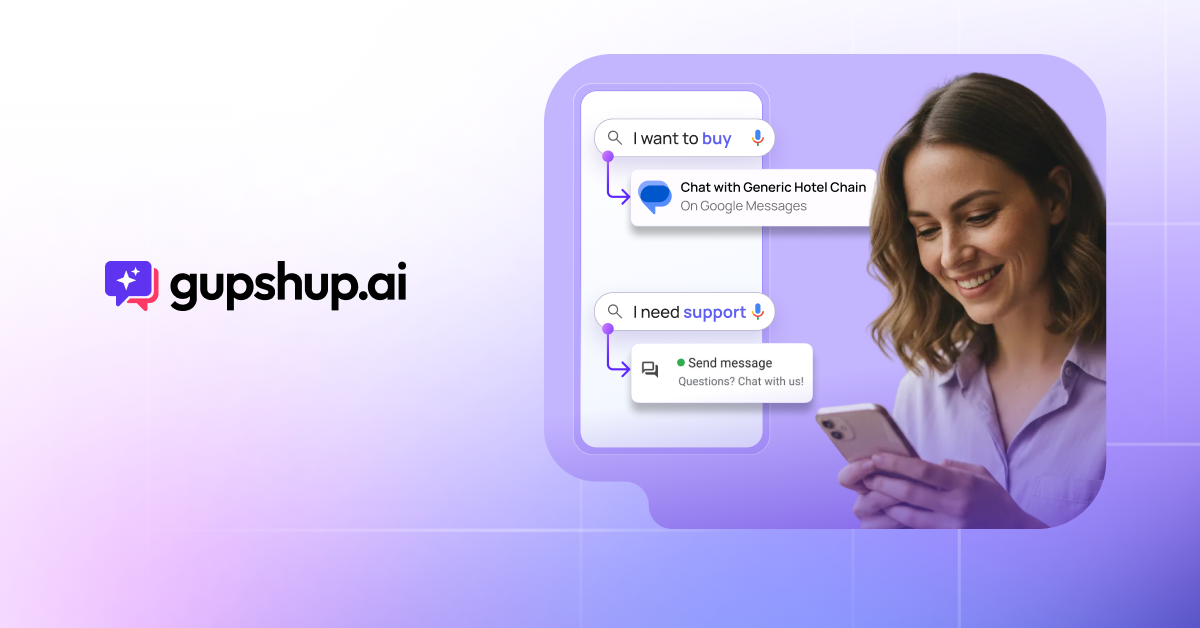
A shopper searches for your brand on Google, clicks through to your website, and leaves without a trace. Ads get skipped, landing pages lose people, and you never find out what they needed. RCS chat from Google Search changes that. It lets customers start a rich, branded conversation with your business straight from Google search results, inside the Google Messages app on their phone. As a result, you capture buyers at their moment of highest intent and keep the conversation going long after the search.
What Is RCS Chat?
RCS chat is the modern version of text messaging, built on Rich Communication Services (RCS). Unlike SMS, it supports images, videos, carousels, buttons, read receipts, and verified business profiles. On Android, it runs inside Google Messages, and since iOS 18, iPhones support it too. For businesses, RCS chat turns a plain text thread into an interactive, app-like experience.
If you’re new to the channel, our guide on what RCS messaging is covers the basics.
What Is Google Search to RCS Chat?
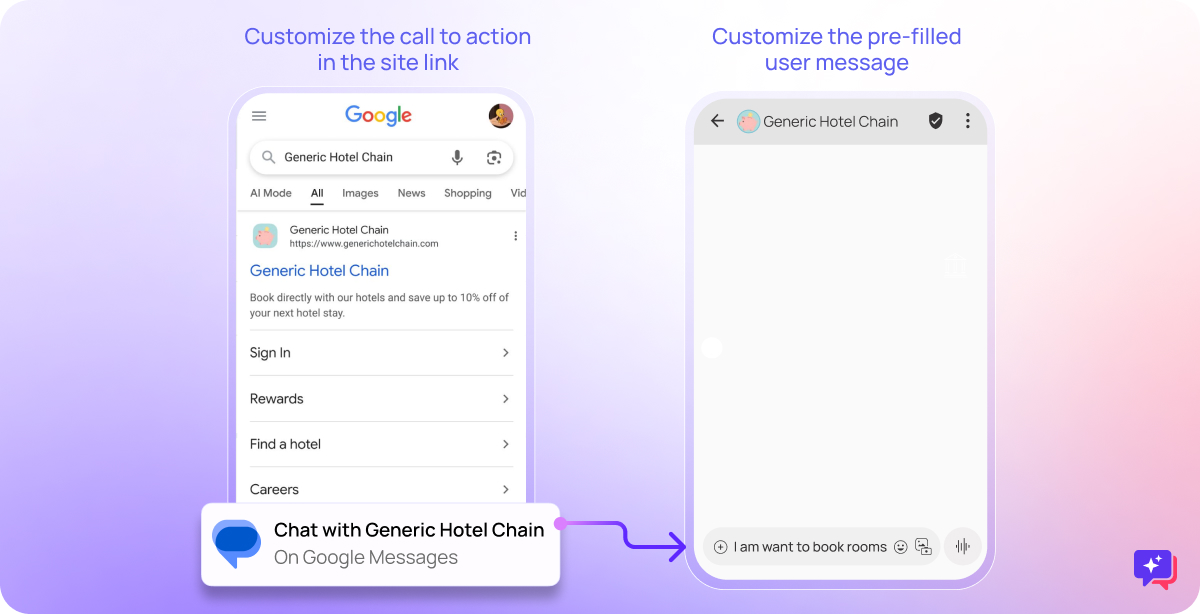
Google Search to RCS chat lets customers start a conversation with your business directly from Google search results. Instead of landing on a web page, they open a branded chat thread in Google Messages, the default messaging app on most Android phones.
Traditional marketing pushes messages to customers. In contrast, Search to Chat lets customers start the conversation when they’re ready. That makes every interaction more relevant, because it begins with what the customer just searched for.
Why RCS Chat Matters for Brands
Reaching customers through ads and broadcasts keeps getting harder. Meanwhile, search remains the place where intent is strongest. According to Google, people make more than 5 trillion searches on Google every year.
RCS adoption is also growing fast. In May 2025, Google reported that people in the U.S. alone send more than a billion RCS messages every day. Since Apple added RCS support for iPhone, brands can reach even more customers through the same channel. In fact, operators have started opening RCS business messaging to iPhone users too, as the Mobile Ecosystem Forum reported when Jio launched it in India in September 2026.
For brands, this adds up to three clear benefits:
- Genuine brand affinity, because customers choose to start the conversation.
- Stronger loyalty, because the chat thread stays in their inbox.
- Personal relationships, because you can tailor every reply to the customer.
The Google Search to RCS Chat Journey
Here’s how a single search turns into a long-term customer relationship.
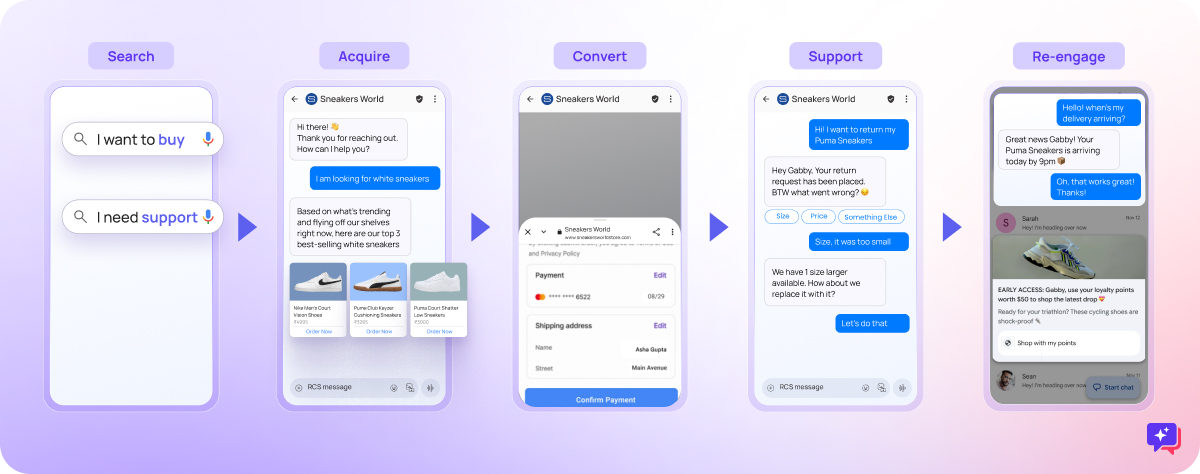
1. Search: Capture High-Intent Moments
Every search starts with a need. When customers search for your brand or services, they show clear intent. Whether they want to buy or need support, search is the moment they’re most motivated to act.
2. Connect: Fix the Broken Post-Click Experience
Usually, a search click sends customers to a landing page, and you lose sight of them once they leave. With Search to Chat, however, they enter a conversation instead. The chat thread stays in their inbox, the experience is interactive, and every reply feels personal.
3. Engage: Hold One-on-One Conversations
Once connected, you can reply through AI agents, structured chat journeys, or live human agents. Together, these let you:
- Capture customer details such as phone number, profile, and preferences
- Qualify leads in real time
- Answer pre-purchase questions instantly
- Show products and services with rich cards and carousels
- Offer immediate support
Because RCS supports images, buttons, and verified branding, the experience feels intuitive and trustworthy. Here’s why RCS business messaging outperforms SMS for this kind of engagement.
4. Convert: Close the Sale at Peak Intent
Rich messaging lets customers complete actions without leaving the chat. For example, you can design conversational journeys that:
- Collect payments
- Book appointments
- Accept registrations
- Drive store visits
- Complete transactions
5. Re-Engage: Build Long-Term Relationships
Since the chat thread stays in the customer’s inbox, they can pick up right where they left off. You can then use that context to:
- Retarget users who dropped off
- Send relevant follow-up messages
- Share new offers in the channel customers prefer
- Stay available 24/7
How Search to Chat Appears to Customers
When customers search for your brand, they can chat with your business right in the search results. This supports two main use cases.
For Customer Support
When users search for “[Your Brand] customer service,” they can start a chat instead of calling. As a result, they:
- Skip long call-center queues
- Get faster, instant help
- Enjoy a better overall brand experience
At the same time, your call center handles fewer routine calls.
For Business Discovery
When users search for your brand name, they can:
- Start conversations about your products or services
- Qualify themselves as leads
- Keep an ongoing conversation in their native inbox
- Access branded experiences straight from search results
RCS Chat Use Cases Across Industries
In practice, Search to Chat works for almost any business with high search demand. Here’s how different industries use it. For more ideas, see these innovative RCS use cases.
Retail and E-Commerce
- Register for product launches and early-access deals
- Explore products and categories
- Join quizzes and gamified campaigns
- Claim coupon codes and special offers
Our guide on growing e-commerce sales with RCS shares more tactics.
Financial Services
- Generate and qualify leads
- Schedule appointments
- Apply for loans, credit cards, or accounts
- Check eligibility
- Download apps
Healthcare
- Book appointments
- Learn about products and treatment plans
- Register patients
- Arrange expert consultations
Real Estate
- Generate and qualify leads
- Guide property purchases
- Recommend properties
- Connect buyers with agents
Automotive
- Generate leads
- Book test drives
- Share offers and discounts
- Help buyers find the right vehicle
- Schedule servicing
Education Technology
- Generate leads
- Register students for courses
- Book consultations
- Help learners find the best course
Build and Scale Your RCS Chat Strategy With Gupshup
However, launching Search to Chat is only the first step. To succeed long-term, you need a platform that helps you build, launch, and scale conversations. That’s where Gupshup Conversation Cloud comes in.
Start Fast With No-Code Tools
Gupshup Conversation Builder lets teams design rich, interactive chat experiences without heavy technical work. You can create flows for anything from simple lead capture to full e-commerce journeys, and then launch in days, not months.
Scale With AI-Powered Intelligence
In addition, Gupshup’s AI agents handle conversations on their own. They understand intent and context, answer accurately 24/7, and keep improving at qualifying leads and driving conversions.
Empower Your Human Teams
Gupshup Agent Assist blends AI automation with human expertise. When a conversation needs a personal touch, your team gets real-time suggestions, customer context, and smart routing.
Personalize Every Interaction
Gupshup Personalize builds rich customer profiles from every interaction. As a result, you can segment audiences, target based on behavior, and automatically trigger re-engagement campaigns.
Reach Customers on Every Channel
Gupshup manages RCS, the WhatsApp Business API, SMS, Instagram, and Web/Apps from one platform, with automatic failover when one channel fails. It also supports text, images, voice, and video for rich, engaging experiences.
The Bottom Line
With Gupshup Conversation Cloud, you can launch Search to Chat quickly and grow it into a complete conversational commerce strategy. Whether you handle 100 conversations a day or 100 million, Gupshup gives you the tools to make every one count.
Conclusion
As traditional ads lose impact, RCS chat from Google Search marks a real shift in how businesses reach customers. By meeting people at the moment of intent and continuing the conversation in their inbox, brands can:
- Increase conversion rates
- Build stronger customer relationships
- Reduce support costs
- Improve customer satisfaction
- Stand out from competitors
The question isn’t whether to adopt conversational commerce. Instead, it’s how quickly you can launch it.
Ready to turn Google searches into conversations? Book a demo to see how RCS chat can unlock new growth for your business.
FAQ
What is RCS chat?
RCS chat is an upgraded form of text messaging based on Rich Communication Services. It works over mobile data or Wi-Fi and supports images, videos, buttons, carousels, typing indicators, read receipts, and verified business profiles inside the phone’s default messaging app.
What is the difference between RCS chat and SMS?
SMS supports only short plain-text messages, so it feels basic today. RCS chat, by contrast, supports rich media, interactive buttons, read receipts, and verified sender branding. As a result, businesses get higher engagement and better tracking. See our full RCS vs SMS comparison for details.
Do iPhones support RCS chat?
Yes. Apple added RCS support with iOS 18 in September 2024, so iPhone users can exchange RCS messages with Android users. However, business RCS messaging to iPhones depends on the country and carrier, so check availability in your target markets.
How do I turn on RCS chat on Android?
Open Google Messages, tap your profile icon, and go to Messages settings. Then select RCS chats and turn the feature on. Our step-by-step guide on enabling RCS on Android walks you through it.
Is RCS chat free?
For consumers, RCS chat uses mobile data or Wi-Fi. Therefore, most people don’t pay per message. For businesses, however, carriers and messaging providers charge for RCS business messages, and pricing varies by country and message type.
Is RCS chat secure?
Yes, for the most part. Person-to-person RCS chats in Google Messages use end-to-end encryption. Apple also began rolling out encrypted RCS chats between iPhone and Android with iOS 26.5 in 2026. Business RCS messages come from verified senders, which helps customers trust that a message is really from your brand.
How can a business start using RCS chat?
First, partner with an RCS business messaging provider like Gupshup. Next, register and verify your brand agent, design your conversation flows, and get carrier approval. Once launched, you can connect entry points such as Google Search, QR codes, and website buttons to your RCS chat.

Product marketer who is helping brands not just connect with their customers but converse with them - to build a long, meaningful relationship that converts into lasting business impact.